
Everything Squarespace 7.1 Can Do That 7.0 Simply Can't
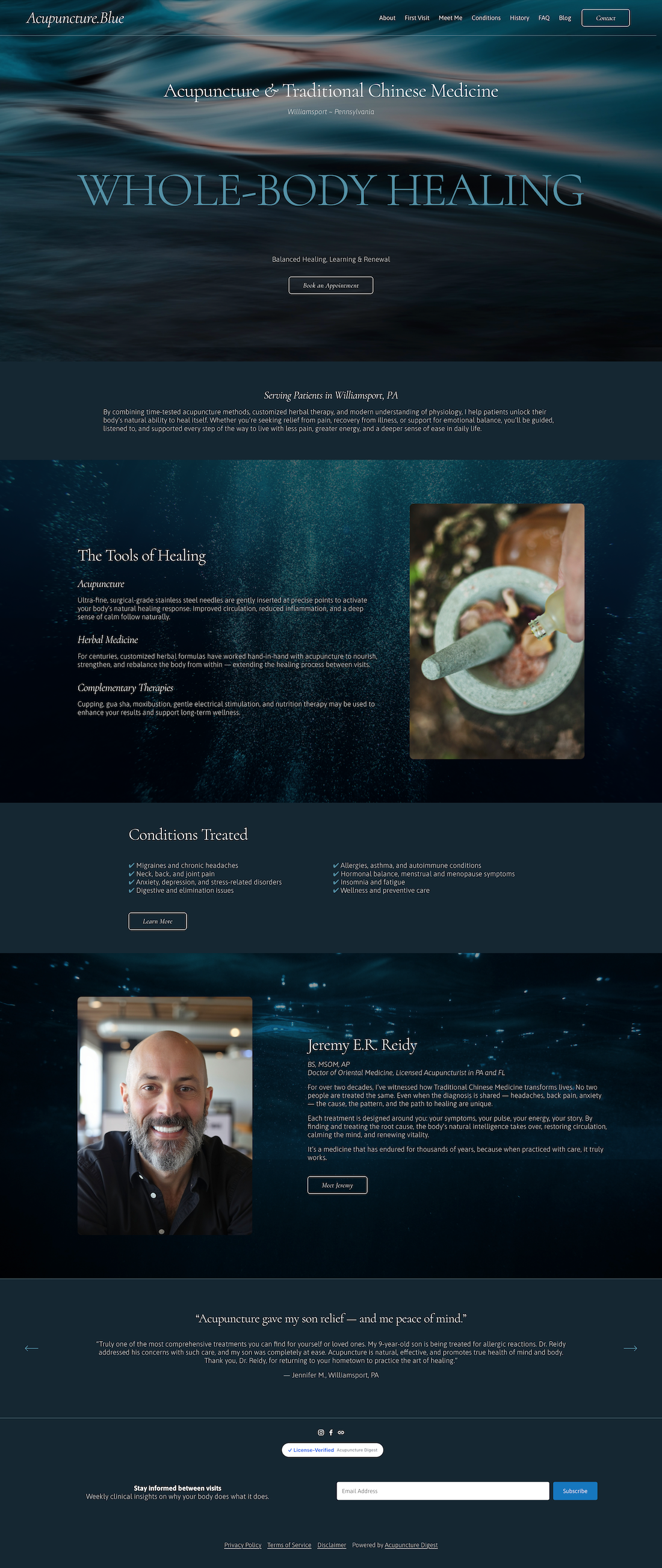
While v7.0 is still around (and seemingly always will be), Squarespace has spent years pouring its development into its current version v7.1. The old one gets the job done. But the new one bears little resemblance to it. Entire categories of capability that once required custom code, a paid plugin, or an outright workaround are now sitting in the editor. If you're on 7.0, or if you're on 7.1 and suspect you're using a fraction of what's available, this is the list. It's long.
The Foundation
The single biggest difference isn't a feature at all. It's the architecture.
In 7.0, your template determined your capabilities. Choose the wrong one, and you might discover, three weeks into a build, that the feature you needed lived in a different template family entirely. Switching meant starting over, because changing your template reset your styles and could break how your pages functioned.
7.1 dissolved that problem completely. Every template shares identical functionality. The only difference between one 7.1 template and another is the starting palette of colors, fonts, and images — all of which you can change at any moment. You are never boxed in by an early decision.
A couple of structural gifts that follow from this:
Page Sections. In 7.0, a long scrolling homepage meant building an Index page and stacking a separate "page" beneath it for every band of content — clunky to edit, slower to rearrange as a site grew. In 7.1, sections stack on a single page. Add one where you want it, drag it where it belongs, delete it when it's finished.
Banner images on any page. No longer reserved for Index pages. Any page can carry one.
Global Styling
Site Styles gives you global control over fonts, colors, buttons, and forms across your entire website. Refresh the whole look without touching a single page individually. In 7.0, styling lived in one long, undifferentiated list. In 7.1, it's organized into clear panels, and two capabilities in particular deserve attention:
Fonts. Adjust headings, paragraphs, buttons, and the miscellaneous type across your site from one place.
Color themes. You build up to ten section color themes, each defining a background alongside contrasting font and button colors — then apply any theme to any section with a single click. The old 7.0 headache of dark backgrounds swallowing your dark text, with limited options to fix it, is gone.
Fluid Engine
This is honestly my favorite thing. 7.1 sections are built in Fluid Engine, the drag-and-drop editor that replaced the Classic Editor. It works on a flexible grid with far fewer spatial restrictions:
Layered, overlapping, genuinely expressive layouts are now possible without code.
Independent mobile layouts: Design your mobile view separately from desktop rather than praying the desktop version collapses gracefully. This is one of the most consequential improvements in the entire platform.
Shape blocks: Add color, structure, and layered interest — build pricing tables, overlapping compositions, and accents that used to require an image editor.
Full-bleed blocks and full-height sections: Push images and content edge to edge, or fill the screen entirely, for the split-screen and immersive layouts that read as custom.
Visual Effects
These are fun new flourishes:
Block Pinning. Pin any block (top, center, or bottom of its section) so it stays put while everything else scrolls past it. Sticky navigation, split-scroll storytelling, a product image that holds while its details move — all of it once required custom code, now a single click of a thumbtack icon.
Text Highlights. Select any text and add an underline, squiggle, circle, or highlight, then control the thickness, color, and even animation. A remarkably fast way to draw the eye exactly where you want it.
Scale Text. Control the size of a text block and how many words land on each line — the difference between type that feels designed and type that feels default.
Site-wide animations. Modern, subtle motion applied across the site, no third-party tool required.
Backgrounds and Imagery
A remarkable amount of design range lives inside the background and image controls, and most of it now requires no code at all.
Section backgrounds almost anywhere: In 7.0, background imagery was largely a banner-or-index affair, and which templates supported it varied. In 7.1, you can set a background image behind nearly any section, choose full-bleed or inset (with a colored border when inset), and control the focal point so the image crops around your content.
Overlay opacity, built in: The color scrim you once added with custom CSS is now a native control. Set an overlay color from the section's theme and dial its opacity until text sits legibly over any image.
Image Effects: A menu of built-in effects (Parallax (not as smooth, though), Liquid, Film Grain, Circles, and Lines) that layer subtle motion or texture onto a background image or art. Film Grain alone is a quiet way to give a flat photo that tactile, filmic quality.
Background video with native filters: Play a video behind any section, full-bleed or inset, and apply filters (blur, brightness, contrast, saturate, sepia, and more) each with a strength slider, plus playback speed control and a mobile fallback image so a slow connection still gets a clean still frame.
Image block treatments: Individual image blocks carry their own design options, including built-in shape masks — crop an image into a circle, an arch, or other forms without ever opening an image editor — and per-block animation from the Design tab.
Finish Layer
Finish Layer is the toolkit that closes the gap between "technically functional" and "unmistakably premium:”
Block Animations: Scroll, hover, and click-triggered motion configured block by block, right in the editor.
Block Transforms: Opacity, rotation, and offset controls to reinforce a composition and direct attention.
Mobile overrides and block hiding: Hide specific content on mobile or desktop, with the layout automatically closing the negative space so nothing leaves an awkward gap.
Font uploads: Import external, custom fonts natively for complete brand consistency — long one of the most-requested capabilities on the platform.
Stacks: Group independent blocks into cohesive sets with explicit spacing and sizing rules that adapt consistently across every device view.
Content Types That Don't Exist in 7.0
Some of these aren't features so much as entirely new kinds of pages:
Portfolio pages: A dedicated collection type with built-in gallery layouts — simple grid, grid overlay, and hover arrangements — that 7.0 simply doesn't have. In 7.0, you improvised with blog collections or galleries.
Courses: Build and sell online courses natively, with chapters, lessons, video content, and student progress tracking.
Paywalled content and member areas: Put video and blog collections behind a paywall and sell access to gated content.
Gallery sections and Auto Layouts: Display sets of images cohesively, and let Auto Layouts arrange content beautifully for you.
Saved Sections: Build a section once and reuse it across pages as a component — a genuine time-saver on larger builds and multi-page projects.
Commerce
If you sell anything, the gap is dramatic:
Product volume: Up to 10,000 products per page or site, against 200 in 7.0.
Variants: Up to 250 per product, against 100.
Nested categories: Organize a catalog with categories inside categories and cleaner navigation — no third-party filter tool required.
Product waitlists on any site: In 7.0, waitlists were locked to a handful of templates. In 7.1 they work everywhere.
Product Composer and improved product pages: A more streamlined way to build out every piece of product information.
An optimized checkout designed around conversion, plus expanded donation features including recurring gifts and the option for donors to cover transaction fees.
The Business Layer
Worth knowing even if it lives slightly beyond the "design features" conversation: 7.1 now sits inside a professional ecosystem with integrated invoicing, scheduling, and payments, alongside a client handoff process that transfers full ownership cleanly at the end of a project. For anyone running this as a business rather than a hobby, that consolidation matters.
What I Still Miss from 7.0
To be fair, there are a couple of things I genuinely miss:
Its parallax scrolling — the smooth, fixed-attachment depth that certain templates applied to background images — had a fluidity that 7.1's Parallax image effect, for all its convenience, doesn't quite reproduce.
I miss true text wrap, the ability to flow paragraph text around an inline image, which Fluid Engine's grid can't replicate (though it’s still present on all blog pages).